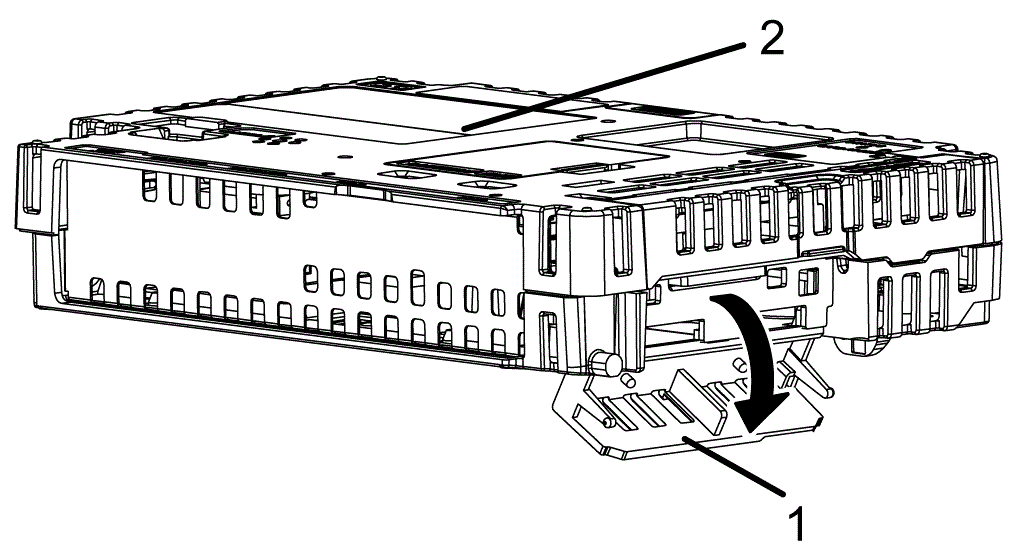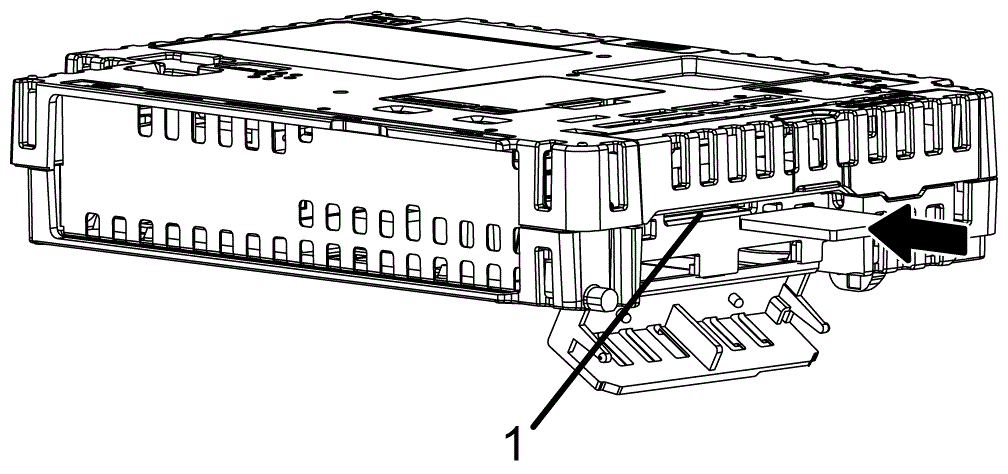

Replacing the System Card (SD Card)
The System Card is an SD Card with the operating system installed on it.
To replace the System Card, use a SD Card by Pro-face. Refer to Accessories.
| NOTICE |
|---|
|
LOSS OF DATA
When using a SD Card:
Failure to follow these instructions can result in equipment damage.
|
-
For information on backing up your SD card, used as a system card, refer to our support site at https://www.pro-face.com/trans/en/manual/1001.html.
-
You cannot replace a system card on a Box Module where the model number does not match.
| NOTICE |
|---|
|
LOSS OF DATA
When handling the SD Card:
Failure to follow these instructions can result in equipment damage.
|
|
Step |
Action |
|---|---|
|
1 |
Turn OFF this product. |
|
2 |
Remove the Box Module from the Display Module. |
|
3 |
|
|
4 |
Push the SD Card once to release, and pull out the card. NOTE: After using the SD Card,
store the SD Card in its case or other safe location.
|
|
5 |
|
|
6 |
Close the System Card Cover. |
|
7 |
Mount the Box Module on the Display Module. |