|
|
| How to adjust brightness of displays ? |
|
How to adjust
|
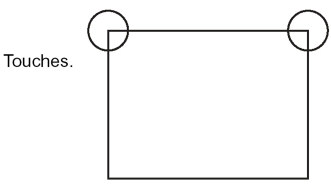
Touch the touch panel's top right corner→ top left corner or top left corner→ top right corner (length and width 40 dot or less) within 0.5 seconds. |
|
 |
|
 |
|
 |
|
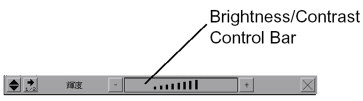
With [+][-] of the Brightness/Contrast Control Bar, set strength and weakness and with [×], finish adjustment. For TFT Color LCD models (AGP-3500T etc), only brightness can be adjusted. |
Important
|
| ・ |
When waiting for start, it's not possible to enter this mode. |
| ・ |
Even during running (communicating with PLC), this operation is possible. |
| ・ |
Brightness adjustment at the factory settings is the max, 8-level adjustment. |
|
|
|