
-
For details on how to draw parts, and defining the address, shape, color, and labels, please see the parts editing topic.
 8.7.1 Editing Parts
For details on how to draw parts, and defining the address, shape, color, and labels, please see the parts editing topic.
8.7.1 Editing Parts
Create a switch to operate the internal device LS14 bit 2.
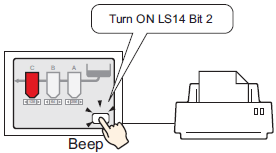
Configure connection settings for the printer.
35.3.3 Procedure - Connecting a Printer Directly to the Display Unit
From the [Parts (P)] menu, select [Switch Lamp (C)], point to [Bit Switch (B)], and draw the Switch Part on the screen. Alternatively, you can click  and then draw the Switch Part.
Double-click the placed Switch part. The following dialog box appears.
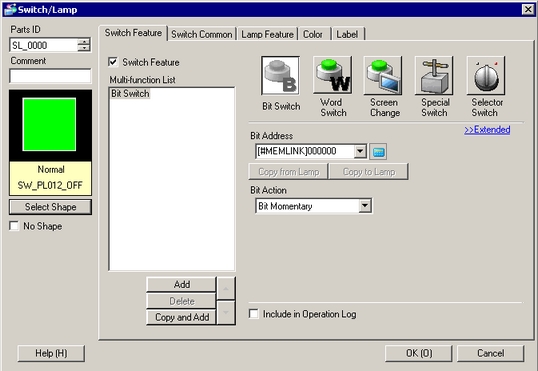
In [Select Shape], select the Switch shape.
Designate the display unit's internal device LS14 Bit 2 (print start bit) in [Bit Address].
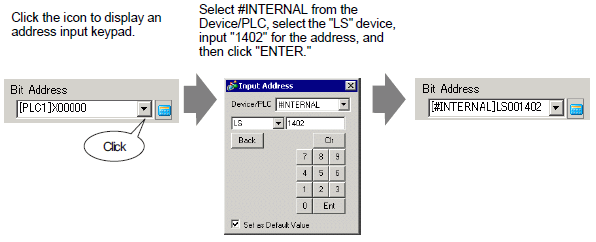
Alternatively, select the variable #H_Control_HardcopyPrint from the [Bit Address] pull-down menu to create the same operation switch.
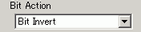
From [Bit Action], choose [Bit Invert].
As needed, set the color and display text on the [Color] and [Label] tabs, and click [OK].
A switch used to start screen print out has been created.
While printing the displayed screen, the display unit's internal device LS6 (status address) Bit 2 (printing bit) is ON. After printing, this bit automatically turns OFF. Confirm this bit OFF and then turn OFF LS14 Bit 2(print start bit).