Installation Procedure (STW-64/65/66/6700WA)
|
|
|
HAZARD OF ELECTRIC SHOCK, EXPLOSION, OR ARC FLASH |
|
oRemove all power from the device before removing any covers or elements of the system, and prior to installing or removing any accessories, hardware, or cables. oUnplug the power cable from both this product and the power supply. oAlways use a properly rated voltage sensing device to confirm power is off. oReplace and secure all covers or elements of the system before applying power to this product. |
|
Failure to follow these instructions will result in death or serious injury. |
|
NOTICE |
|
EQUIPMENT DAMAGE |
|
oAlways use the installation gasket. oKeep this product stabilized in the panel-cut while you are installing or removing the screw fasteners. |
|
Failure to follow these instructions can result in equipment damage. |
Installing Using Installation Fasteners
|
Step |
Action |
|---|---|
|
1 |
Place this product on a clean and level surface with the screen facing down. |
|
2 |
Check that this product’s gasket is seated securely into the bezel’s groove, which runs around the perimeter of the display panel frame. NOTE: Always use the installation gasket, since it absorbs vibration in addition to repelling water. For the procedure on replacing the installation gasket, refer to Replacing the Installation Gasket. |
|
3 |
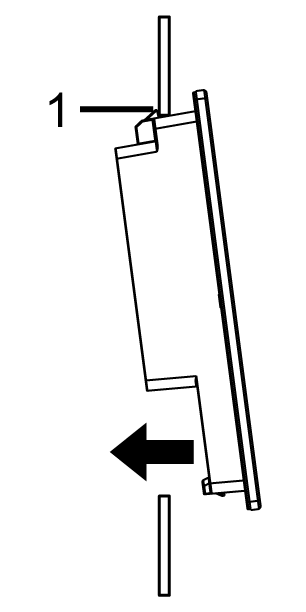
Based on this product’s Panel Cut Dimensions, open a mount-hole on the panel and attach this product to the panel from the front side. NOTE: This product has a hook on the top to prevent falling during installation. Insert this product into the panel at an angle to avoid hitting the hook.
1 Hook |
|
4 |
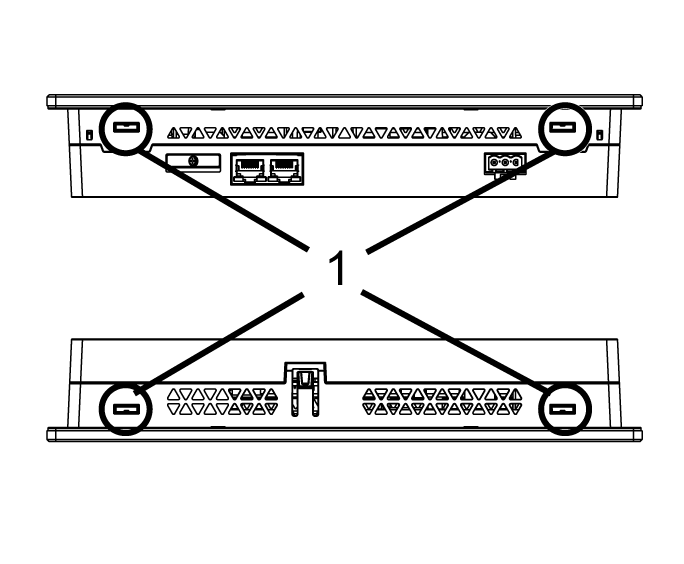
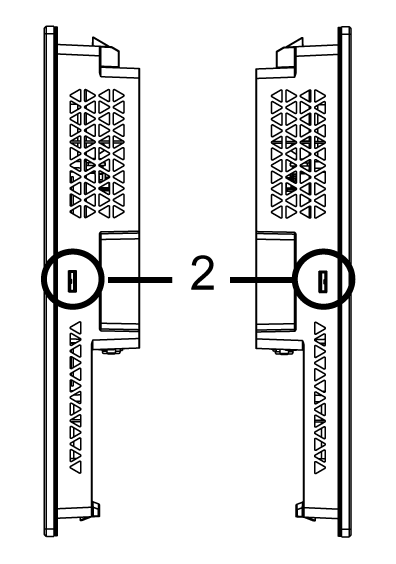
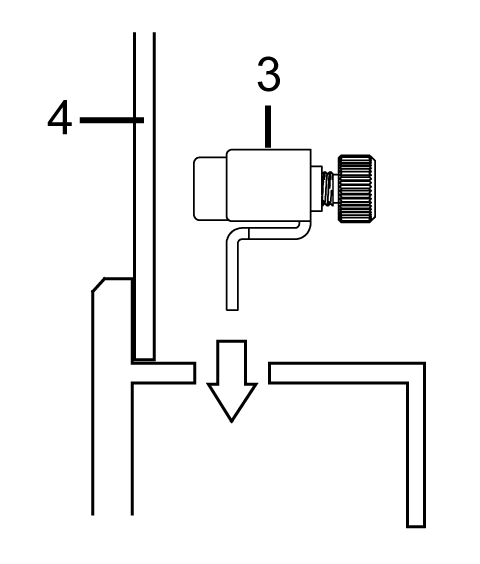
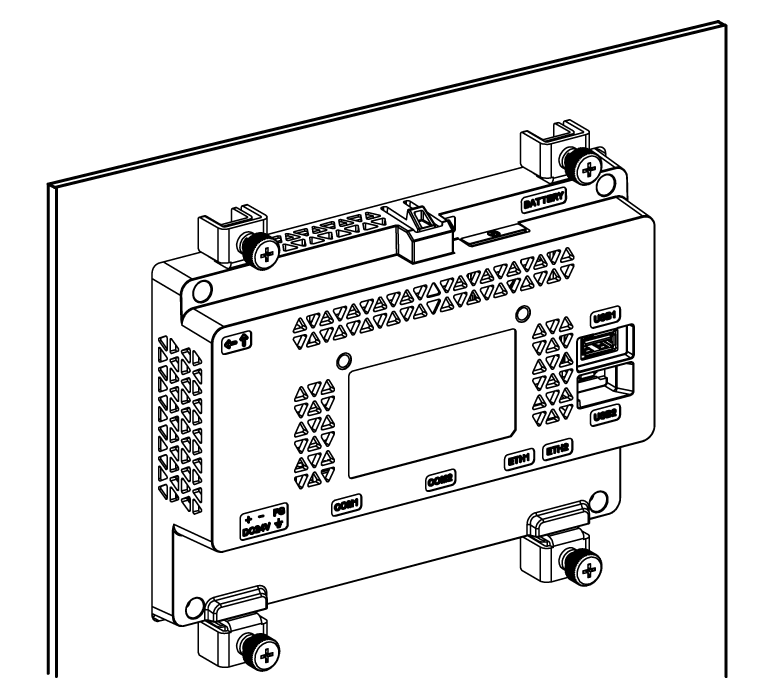
Insert the installation fastener hooks into the insertion slots of this product.
1 Insertion slots 2 Insertion slots (STW-6700WA only) 3 Installation fastener 4 Installation panel |
|
5 |
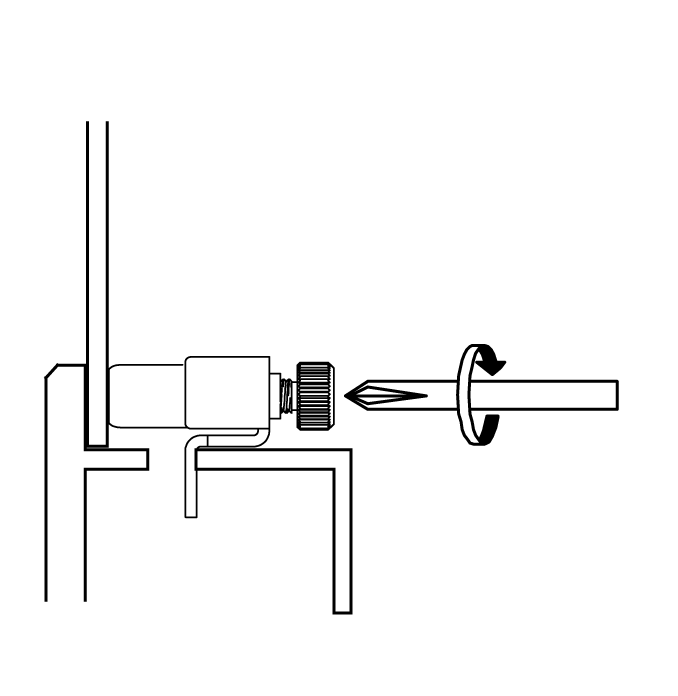
In a clockwise direction, tighten the installation fastener’s screws with a screwdriver. The necessary torque is 0.5 N•m (4.4 lb-in).
NOTE: The installation fasteners can be screwed by hand too. |